Virtual Reality

Apple Vision Pro Stagnation

People want us to see the Apple Vision Pro VR kit as revolutionary but it isn’t, for a simple reason. Several years ago I was going to the World VR conference and loved playing with various VR kits but they almost all had the same problem. They cost an arm and a leg to buy.

The HTC Vive was an alluring device because of how well it worked and how good it felt but it was made unreachable by its price. The same was true of the Oculus devices, except for the Oculus Quest 3. This had the best price of all. It came with a cost. The Facebook environment. If Facebook can mind duck us(intentional spelling) in two dimensions then imagine how much worse it will be in AR.
Apple Pure Vision and the Immersive Experience Opportunity

Memorable VR experiences

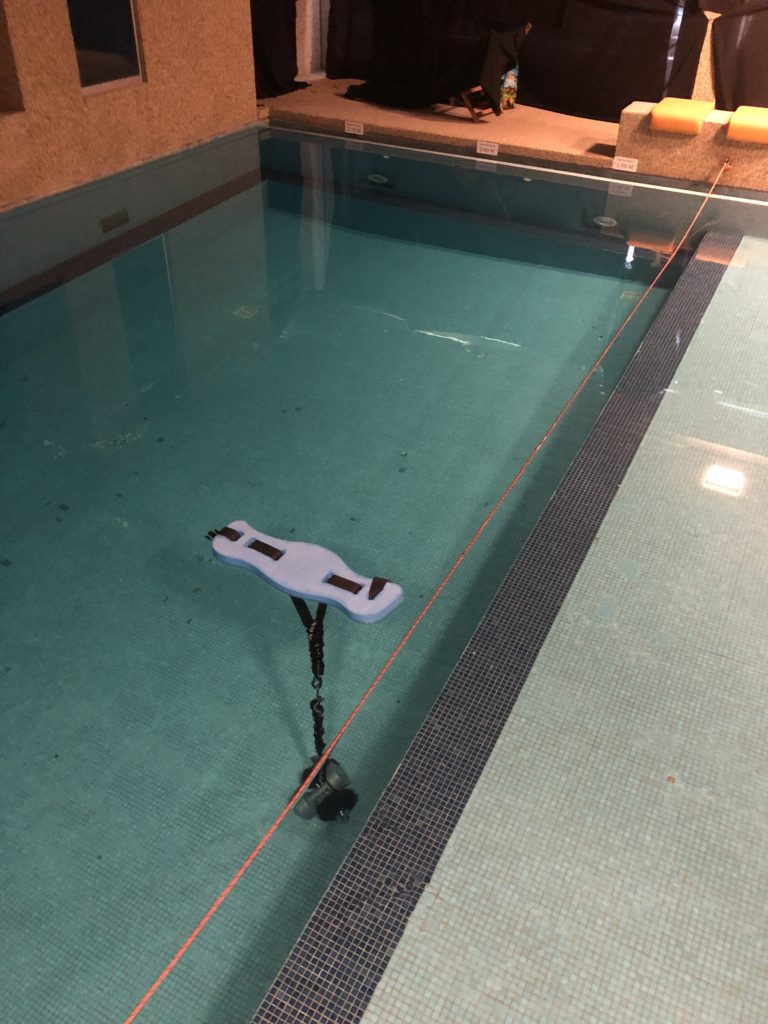
AR/VR and XR have been around for years, if not decades. The most unique VR experience I was involved with was people wearing an immersive headset whilst snorkelling in a pool to experience being “weightless” whilst watching an immersive video. 

The second most interesting video 360 experience was a ZDF volcanic explosion where you could watch a volcano explode, as if you were in Pompei. You could follow the projectiles as they flew by you. You could watch the pigeons take off and fly away. 

Thoughts on the Oculus Quest

During the World XR Forum I had to carry six or more Oculus Quest devices from a car to the conference centre and then help with setting up at least one of these devices. At first I thought it was like most VR headsets where the phone is the display.

In reality, the Oculus Quest is a self-contained VR headset driven via an app from the mobile phone. Once the Oculus quest and the mobile phone are paired you can play with content and use it. This is great because it no longer requires a high spec computer, it has no cables and best of all it’s affordable. At 400-500 CHF it’s affordable within most geek budgets.

Sea of Tranquility - Snorkeling VR by Pierre Friquet

During the World XR Forum this year in Crans Montana I helped Pierre Friquet with his Sea of Tranquility VR Experience. This VR experience was unique in that it required you to be either in your swimming clothes, your underwear or other.

This was a VR experience where you went from being outside where the temperature was descending to winter temperatures to what felt like a warm room when dressed but comfortable when wet.

Zwift events, a social ride and a race

Today I participated in two Zwift events, a social ride and a race. The social ride was one hour of pedalling at a comfortable pace trying to keep to the same speed as the group. Rather than trying to be as fast as the group I was trying to pace myself to be within the peloton rather than riding off. 

Social rides are amusing because you start on the peer and wait for the counter to get down to zero and when it does you go from being on a home trainer in the real world cycling on a home trainer in the virtual world to cycling on the roads of Watopia. Social rides are interesting because you have people from Australia, England, Denmark and many other countries, so long as they are in a timezone where it would be reasonable to cycle at such a time of day. 

The Insta360 Nano and Air - A climbing test

The Insta 360 Nano and Air are two affordable cameras. The first is designed to work with the new iPhone shape as well as a stand alone device. The Insta360 Air works only when it is plugged into an Android device. Both are good for specific uses.

Insta360 Air

The Insta360 Air requests a firmware update the first time you want to use it. This takes a few minutes and then the device uses the phone’s gyroscopes to keep the image stable. On the Via Ferrata I climbed this weekend I used the insta360 Air and Xperia Z5compact phone to take one or two landscape pictures. In these images you can look up at the cliff, look across at the landscape or look down at how far from the ground I am. This is a nice way of giving people a feel for what it is like to practice Via Ferrata. For the use of this system, it is good to have both hands free. [vrview img=“https://www.main-vision.com/richard/blog/wp-content/uploads/2017/06/export_1496508048682-1.jpg” width=“500” height=“500” ] Use the mouse/trackpad to rotate the image

The World VR Forum - Year 2 - The Conferences

I was a volunteer at the World VR Forum again this year. I was in the conference room providing speakers with microphones before they went up on stage. As a result of this I was able to listen to many interesting speakers. They spoke about a diversity of topics of interest to various groups.

Google Earth and the HTC Vive

Dominik Käser presented Google Earth VR. He spoke about how Google had spent time thinking about how the earth sounds in different locations, from different altitudes and more. He spoke about how they thought about the sound of a dragging rock when the globe is spun slowly and a jet when it is spun faster. He also spoke about the considerations for how to move within this environment. An excellent demonstration of Google earth in VR is included with the video above. It would be a fantastic tool for journey planning.

A 360° cooking Show would be interesting to watch.

For a few weeks now I have been thinking about how you could make a 360° cooking show. For this video I would like to be able to see the process from an angle where I see the person cooking. I would also like to see all of the ingredients and the preparation of various stages of the recipe. For this you would need an open plan kitchen where preparation takes place in the middle of the room. If it was to be filmed with just one camera then the camera should be lower than eye level but not by much. I would want to look straight ahead in to the eyes of the person preparing the meal and talking. As the person speaks about ingredients I would like to be able to look down and see all of the ingredients. You would need enough room for chopping and marinating. I would think about having a camera above the cooking surfaces so that we can see how the textures change from the start of cooking to when the mix becomes “saucy”. That’s how they describe it in recipes. I want the 360 approach to be justified. I want to make it so that the viewer has a reason to wear VR goggles. The video above justifies a 360° video whereas the video below does not. The camera needs to be placed as close to the action as possible. It should be designed so that the viewer has to turn his head to see what is happening. This video does not justify the 360 approach because the action happens in front of the camera and although you can look around the background is not relevant. The action is too small on screen. You can’t see what they are doing. The camera operator and the producer should learn the recipe and identify what the stages of preparation are. They should have a shot list of every thing that is relevant and place the camera accordingly. Is an oven or a grill used? is sauce prepared? Is something timelapse friendly? A few years ago we were up in a swiss chalet with a friend and we decided to cook a pizza with a log fire rather than an oven. We started the log fire and then we placed the pizza next to the fire. As the fire was only on one side we rotated the pizza to get it to cook in full. In watching the playback you see the pizza cook as well as the logs go from being logs to embers and “melt” downwards as they burn. If the camera can safely be placed close enough to the fire then you could look down at the pizza as the ingredients change appearance and look up to see the logs decrease in size. I believe that 360° cooking shows have a future. In theory you need just one well placed camera and editing is cut down to a minimum. Instead of editing and vision mixing from two or three cameras you need just one. I believe that the programme should not be more than 5-10 minutes. People, for now, are still getting used to VR headsets and may find extended periods of time more tiring to watch. How long will it take before someone like Jamie Oliver uses VR cooking simulations to teach people to cook in the real world. With enough time they could emulate real cooking times at different heats so that when you transition from VR to reality you have the right intuition to successfully cook for yourself and others.

The Theta+ Video app is available

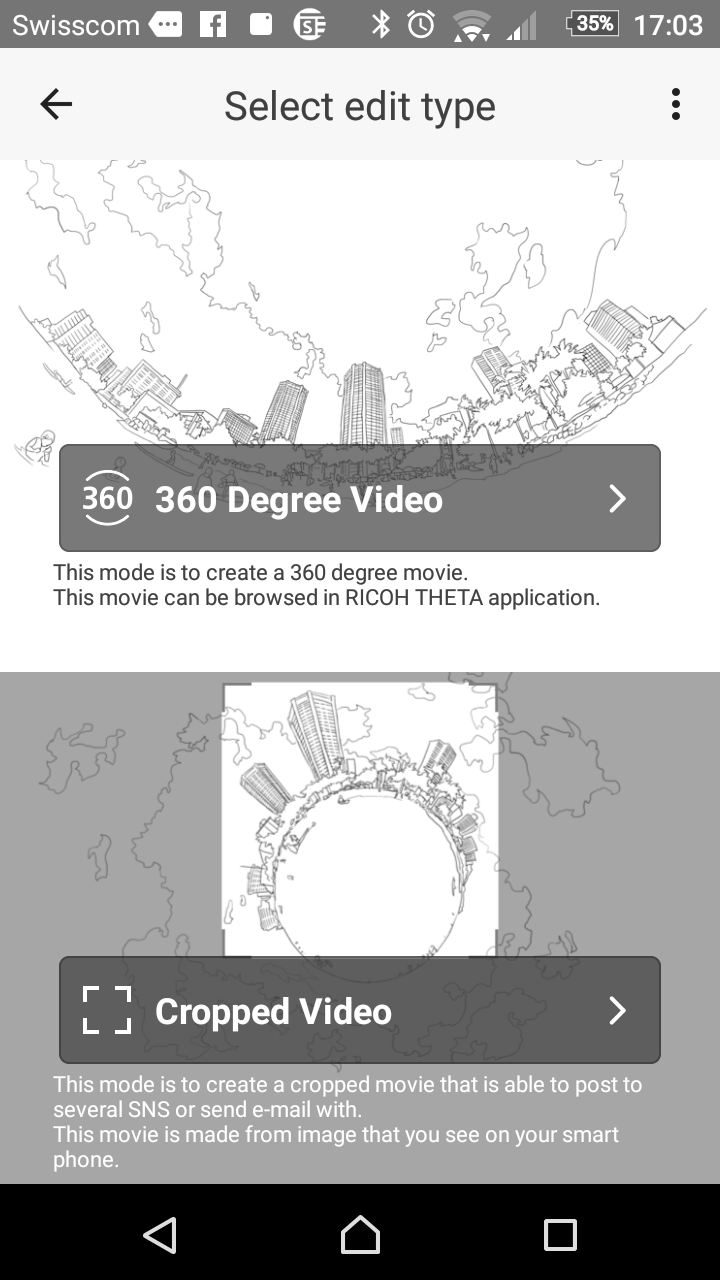
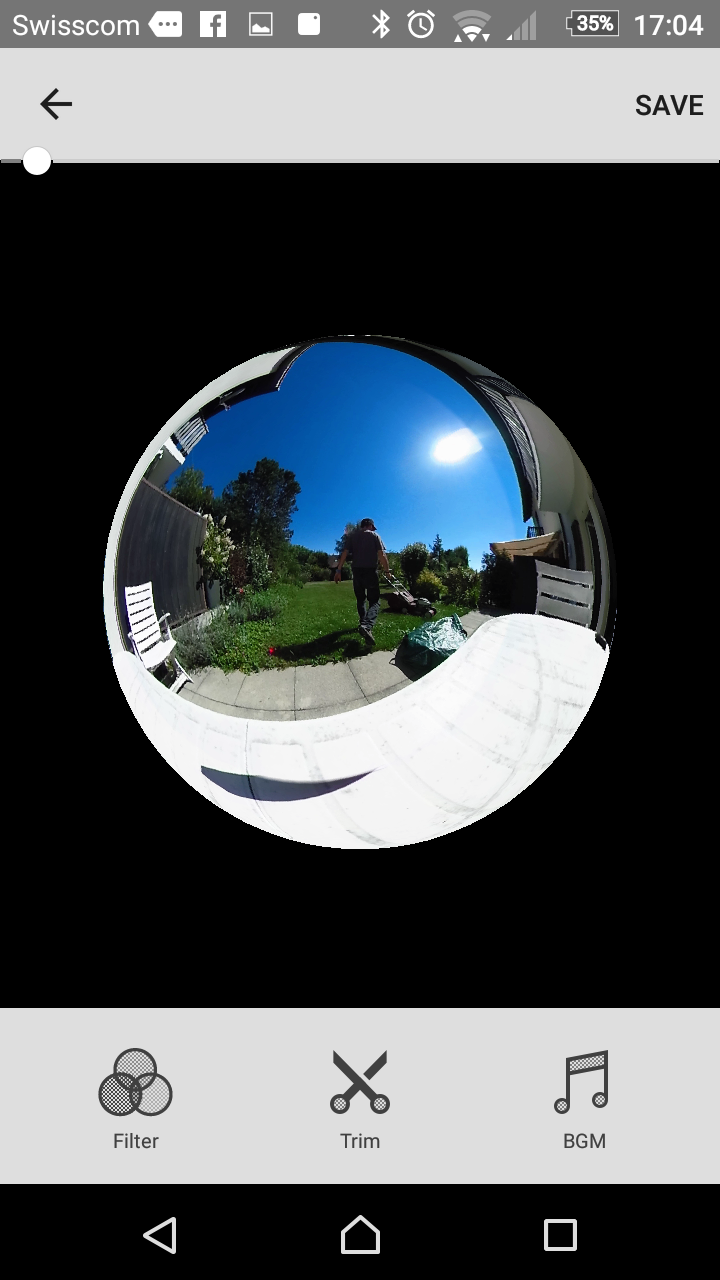
Yesterday the Theta+ Video app came out for Android. The Theta+ video app allows you to trim video clips and then share them to social networks. This means that you no longer need to wait until you get home to prepare content for sharing. You can do it while you sit and have a post activity hot chocolate or other drink. [caption id=“attachment_3325” align=“aligncenter” width=“169”]Video options Video options[/caption] When you select the raw video it is converted to be a spherical video. When that process completes you can choose between creating a 360 degree video or a cropped one. A cropped one is a tinyworld video. [caption id=“attachment_3326” align=“aligncenter” width=“169”]Filters, Trim and music Filters, Trim and music[/caption] The next menu gives you three choices, filters, trim or background music. I never bother with filters and the trim option is fiddly on the Sony Xperia Z5 compact with a 13 minute video. With a shorter video I would have found this process easier. Saving is not intuitive. First you trim the video and then you go back and save the changes. While saving you need to keep the app open. The sharing options are to Facebook, youtube and other social networks. This varies according to which apps you have on your phone. I like that the two first options are facebook and youtube as these are the networks that I usually share to. When I tried to upload to youtube it failed twice. When I attempted to upload to Facebook it was stuck at 99 percent twice. This is a great app to trim videos before sharing and add some music when required. What I would like to see in future versions is the ability to compile a number of 360 videos together to create edited sequences. They need to improve uploading so that it works better. At the moment of posting all attempts to share videos failed.

Climbing Virtual Reality, Uniform and Grip

Climbing Virtual Reality tuition is an interesting idea. Learning to climb is fun because it is a physical and intellectual challenge. The first step is to familiarise yourself with the sensations of climbing and learning to see where foot holds are and where hand holds are. When you begin the hand holds are easy to find and hold on to but as you progress and attempt more challenging routes you need to develop finger strength to hold on to those holds. Climbing Virtual Reality tuition is an interesting idea. In some cases though finger strength is not the only challenge. You also need to learn to read the route and to know which hand to hold a hand hold with, which foot to use on a foot hold and how to reach the next hold. You can learn through trial and error which is fun or you can climb other routes and wait until someone who knows the route that has you flummoxed decides to climb that route. Virtual reality Goggles are an alternative way of learning how to climb a route. In the example provided in the video above Grip by Uniform provides climbers with an alternative. In their example they speak about Shauna coxsey participating in the project and allowing people to film her as she is coached on how to climb a route. In other locations it could just as easily be the route setters. It’s interesting to see such a project because the question we often hear people ask is “How did you climb that route” and the answer is often “I don’t remember”. With this technology it would be easy to provide people with guidance for the routes they find more challenging. It is a new and immersive form of tuition which could help people progress and learn climbing skills more efficiently and within a shorter amount of time.